Starting in March I will be employed as a Service Desk Operator by the Royal Devon University Hospital Trust to provide Level 1 IT support and EPIC roll out service desk operation for the upcoming Go-Lives for Torbay and South Devon hospitals and later on in June for the University Hospital of Plymouth.
This is a great opportunity for me to gain some high-level experience in the IT sector. It is a 6 month contract with strong opportunities to become permanent partly due to my qualifications.
Epic is an electronic patient record (EPR) system being adopted by several NHS trusts to replace paper records and legacy IT systems with a single, secure digital record.
Torbay and South Devon (TSD) will Go-Live first on Good Friday 2026 and then later in June University Hospital Plymouth (UHP) will also go digital with a Go-Live.
If you are struggling with responding to interview questions then try using AI to improve your confidence and vocabulary. I recently had an interview that was a total disaster. I just didn’t have the right words to respond to the questions put to me. Once you start hesitating the pressure mounts rapidly. So, for the next interview I told myself I need to sort this out.
You can practice with your work coach or friends but this is limited by time and their willingness to help you. I employed AI to do the work for me. The advantage with this is that you can practice as much as you like and when suits you. You can easily copy and paste the questions, responses and advice to review later on.
And this is what AI Large Language Models, like ChatGPT and DeepSeek, are good at. Language! I use many different AIs but for this I found that DeepSeek works the best and there is no restriction on the number of responses you require and there is no cost.
If you have a laptop or PC with a microphone this is a very practical way of doing this, you can organise and save your interview practice responses in Word or any word processor. Using a phone is also a workable option although more fiddly for adding the job descriptions and saving the responses and advice.
Voice Typing/Dictation
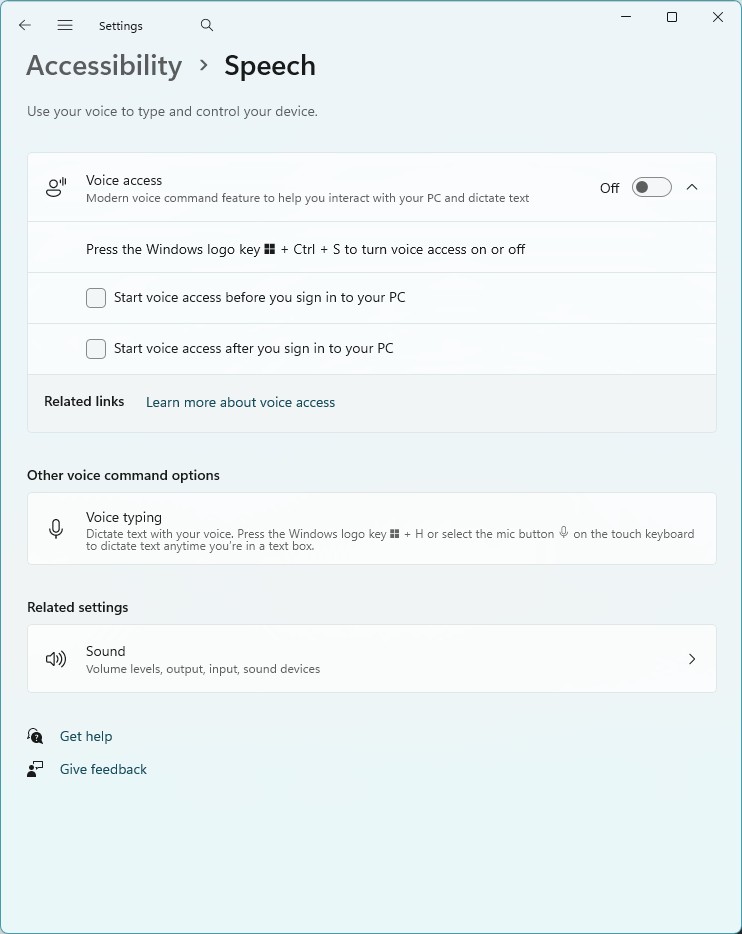
On a Windows PC you can search settings for Voice Typing to set up the ability for the computer to listen to your voice and transcribe into text. You can use the windows key + H to activate it when you have selected a text box.
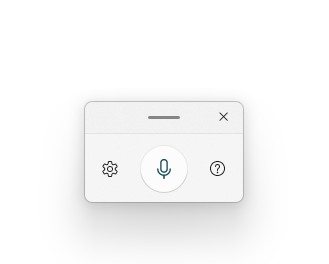
And use the Voice Typing icon
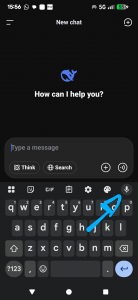
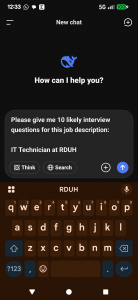
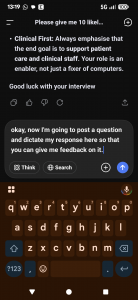
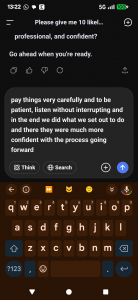
Or if you are on Android phone there is a microphone icon to the top right of the keyboard.
Practice using these to speak to the device. You will find that this is useful tool for a lot of things. Especially on your phone.
Strategy
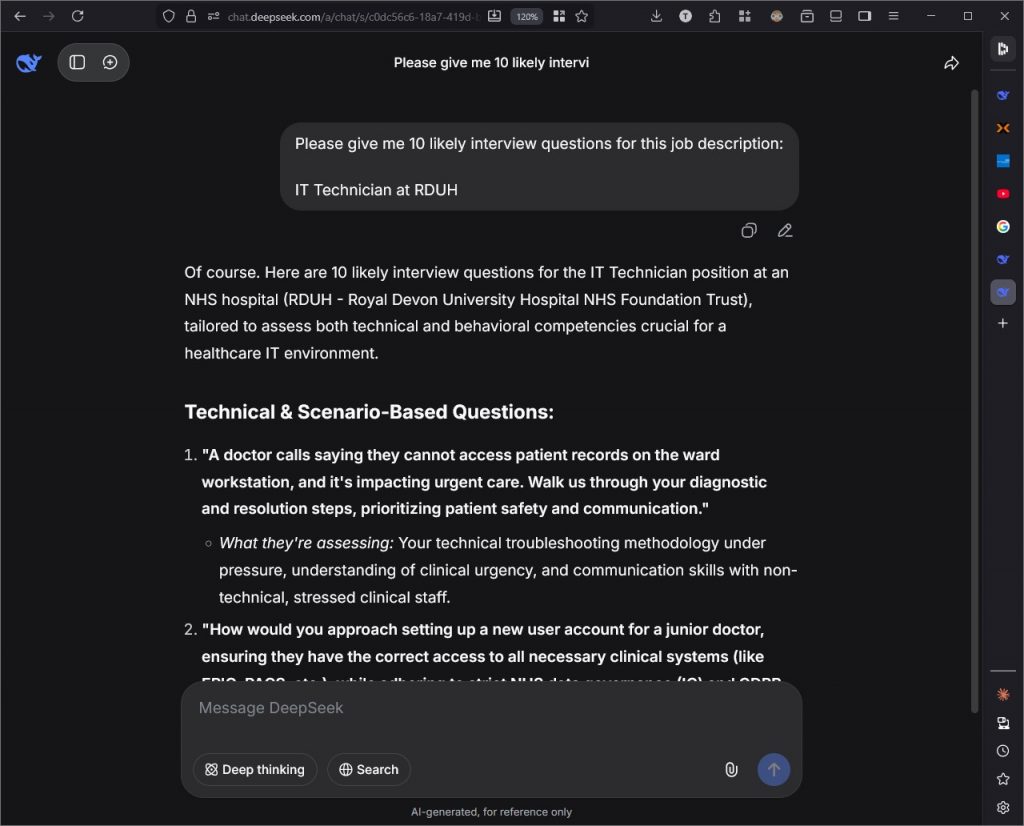
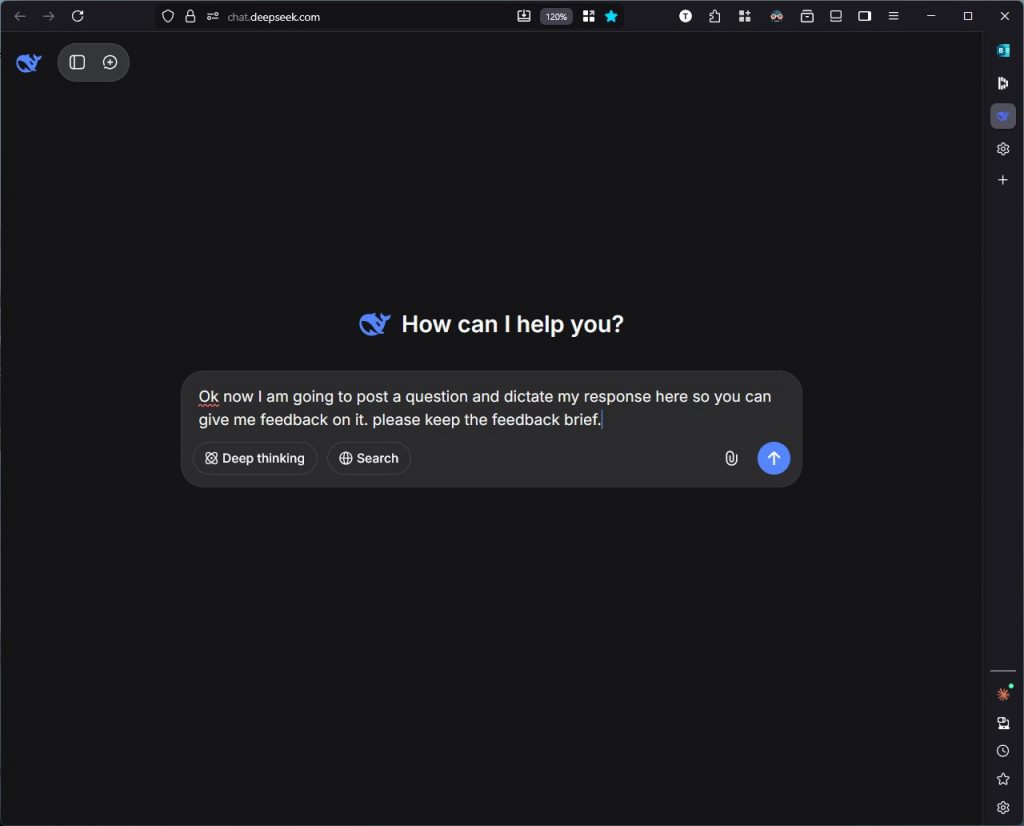
First of all, get the AI to suggest likely questions. Feed it as much information as possible. Again, this will be easier if you can use a computer so you can copy and paste whole job descriptions to the prompt but it is possible on a phone.
You can even attach job descriptions that you have downloaded in PDF format by using the paperclip icon in the prompt window.
Save Them For Later
At this point I would copy and paste these into Word so I can review them later. Eventually I will have the questions in this Word doc and then underneath a few bullet points that highlight the key points to make and the best keywords that will have the interviewers ticking their boxes.
Instructions For The AI
Now we can tell the AI what we want it to do for us. Essentially you want the AI to give you feedback on your response in a way that is useful to you. AI and DeepSeek in particular can be a bit too verbose (too many words) with their responses so you can tell it to give a brief response if that suits you.
Make Your First Effort At Answering The Question
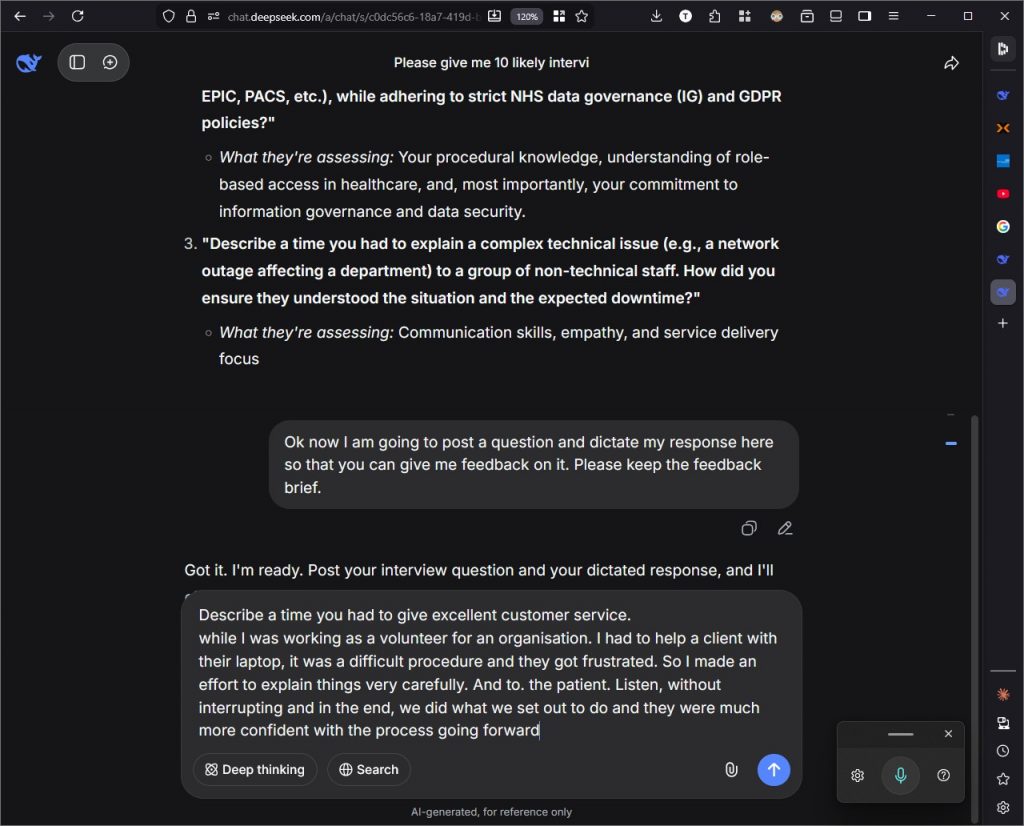
This is the useful part. Now you can practice speaking your response out loud to the AI. You’ll find that you stumble over your responses and that is fine. That is the point of the exercise. Whatever you come up with let the AI give you feedback. Then you can take it in and improve the next effort you make.
You might find the dictating software makes some errors in your response but usually the AI will understand.
Feedback
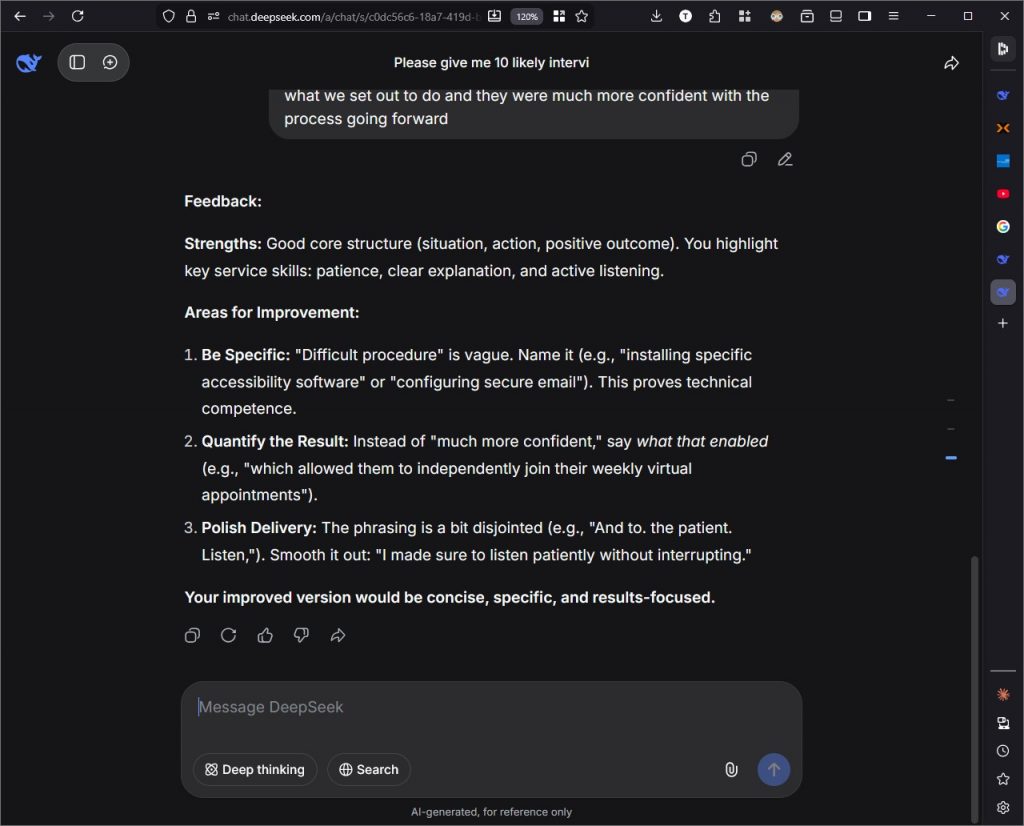
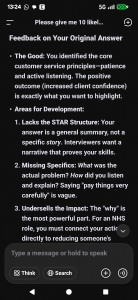
Hit enter and see what the AI comes up with. As I mentioned earlier this is what Large Language Models are good at. It will give useful feedback on your response to the question. So, take it in and then have another go.
Repetition
You can and should practice your response many times so it becomes second nature. You will find however that as you practice various questions you will get better at freestyling your answers, you will learn the keywords that are relevant and they can be used in other responses too. The AI is giving you clear areas for improvement and these are definitely relevant.
You will learn the structure of the best responses to give. STAR method is something that the interviewers love. The AI will give you examples of this. What about a question you hadn’t prepared for? Ask the AI about this. I did and it gave me the PRE method. Position, Reason and Example.
Most of all it will give you confidence that you have good responses and keywords in your memory for when the interview is happening and you are nervous.
Conclusion
Many people are hesitant to use AI but it is so incredibly useful. You can get an advantage using AI and it doesn’t have to cost you anything. My police interview was a bad day for me but by using this technique and technology I greatly increased my confidence and vocab for interview questions. In my very next interview I had good solid responses for the questions they asked me. I noticed them raising an eyebrow and muttering ‘oh very comprehensive’.
Ultimately I got the job and this practice made the difference.
I am now a volunteer in my local area for AbilityNet. We help elderly and disabled people with their IT issues. From the website:
“A digital world accessible to all
AbilityNet is a pioneering UK charity with a global perspective. We believe the power of digital technology should be available to everyone, regardless of ability or age. Our free online resources and a network of over 300 community-based volunteers help individuals with any disability, of any age, to use all kinds of digital technology.
Our teams of experts help organisations of all types and sizes to become more inclusive and to build accessible digital products and services. We are founder members of the global accessibility profession, work closely with some of the biggest businesses on the planet and organise TechShare Pro, Europe’s largest accessibility gathering.”
Issues we face range from helping someone with their first online grocery shop to more technical fault fixing done remotely via TeamViewer.
For my part, it is all experience and actually, you get a good feeling from helping someone in need.
To provide the best experiences, we use technologies like cookies to store and/or access device information. Consenting to these technologies will allow us to process data such as browsing behaviour or unique IDs on this site. Not consenting or withdrawing consent, may adversely affect certain features and functions.
Functional
Always active
The technical storage or access is strictly necessary for the legitimate purpose of enabling the use of a specific service explicitly requested by the subscriber or user, or for the sole purpose of carrying out the transmission of a communication over an electronic communications network.
Preferences
The technical storage or access is necessary for the legitimate purpose of storing preferences that are not requested by the subscriber or user.
Statistics
The technical storage or access that is used exclusively for statistical purposes.The technical storage or access that is used exclusively for anonymous statistical purposes. Without a subpoena, voluntary compliance on the part of your Internet Service Provider, or additional records from a third party, information stored or retrieved for this purpose alone cannot usually be used to identify you.
Marketing
The technical storage or access is required to create user profiles to send advertising, or to track the user on a website or across several websites for similar marketing purposes.